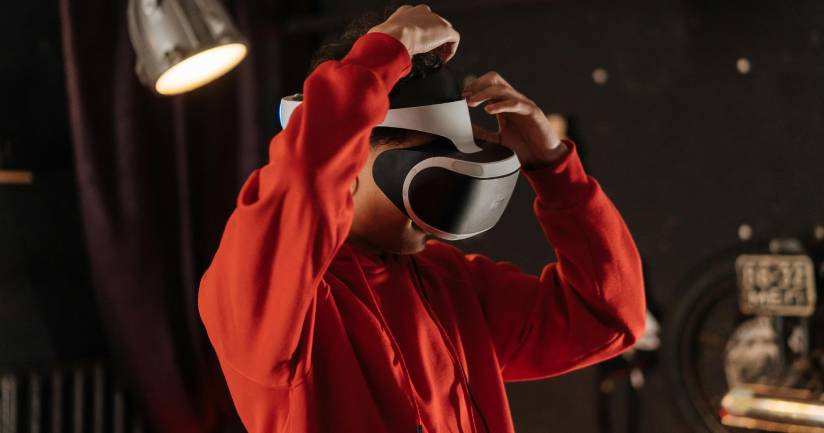
At Brand Messenger, we don’t just showcase products we immerse your audience inside them. Our AR (Augmented Reality) and VR (Virtual Reality) experiential installations create memorable, interactive moments that blur the line between physical and digital. From walking through a digital twin of a factory, to testing a car in a mixed-reality environment, or exploring an interactive 3D product wall, our installations ensure your event is not just attended but experienced.
Traditional displays inform. Experiential tech inspires action. By letting attendees see, touch, and interact with your brand in real time, you:
⦁ Increase Dwell Time & Engagement
With AR/VR experiential installations, attendees naturally spend more time exploring your booth, brand zone, or virtual event hall. Interactive demos, immersive simulations, and gamified elements keep them engaged longer than static displays. More dwell time means greater recall of your brand story and stronger opportunities for lead capture, relationship building, and conversions.
⦁ Simplify Complex Concepts Into Intuitive Experiences
Some products, services, or systems are difficult to explain through brochures or slides. AR/VR makes them instantly understandable. Imagine showing the inner workings of a medical device in 3D, or letting a customer virtually test how a smart factory operates. Instead of technical jargon, your audience gets a hands-on, intuitive demonstration that makes even the most complex ideas simple to grasp.
⦁ Generate Shareable, Social-First Content
Today’s audiences love experiences they can capture and share. Our AR/VR installations are built with social media in mind from selfie-ready 3D photo moments to interactive games that encourage attendees to record and post. Every share becomes organic promotion for your brand, extending event visibility far beyond the venue. This creates a buzz effect online while positioning your brand as innovative and future-forward.
⦁ Build Emotional Connections That Drive Conversions
Immersive technology goes beyond information it triggers emotions and memorable experiences. When someone virtually test-drives your car, simulates using your product in their daily life, or interacts with a digital twin of your innovation, they form a personal connection. These emotional experiences influence purchase decisions and foster long-term loyalty, turning first-time attendees into repeat customers and advocates.
Step into the future of product visualization with Digital Twins real-time 3D replicas of your machines, devices, or even full-scale facilities. Digital Twins bring your products to life through real-time, data-driven 3D replicas of machines, devices, or entire facilities. Built from CAD files, scans, or IoT data, these interactive models let audiences rotate, zoom, and explore every detail with ease. They simplify complex systems into intuitive visuals while enabling simulations, exploded views, and live performance tracking. Perfect for events, Digital Twins make it possible to showcase large or complex assets virtually anytime, anywhere.
Digital Twins are more than just 3D models they’re dynamic, data-driven virtual replicas of real-world products, machinery, or even entire facilities. They allow your audience to experience, explore, and interact with something that might otherwise be too big, too complex, or too expensive to bring to an event.
⦁ CAD Models & Blueprints: We start with your existing CAD files, engineering blueprints, or 3D design assets.
⦁ 3D Scanning: For physical products without CAD data, we use LiDAR or photogrammetry scanning to capture every detail.
⦁ IoT Sensor Data (Optional): If your machine or facility already uses IoT sensors, live data (like temperature, pressure, or usage metrics) can be fed into the digital twin for real-time simulation.
This step ensures accuracy your digital twin isn’t just a lookalike, it’s an authentic representation of your product.
⦁ High-Fidelity 3D Modeling: Our team converts raw data into a visually accurate, interactive 3D model.
⦁ Optimization for Events: Since event tech needs to run smoothly on VR/AR headsets, mobile devices, and large displays, we optimize the model for real-time rendering without sacrificing detail.
⦁ Brand Customization: Your colors, logos, and messaging are embedded into the digital environment for a branded experience.
This step transforms static blueprints into a sleek, interactive experience that works across platforms.
⦁ 360° Exploration: Users can rotate, zoom in/out, and view cross-sections.
⦁ Exploded Views: Attendees can “pull apart” complex machines to see how each part fits together.
⦁ Dynamic Animations: Show workflows (e.g., how energy flows through a turbine, or how gears move in a gearbox).
⦁ Real-Time Data (Optional): Connect IoT feeds to simulate performance under real-world conditions (e.g., engine speed, temperature).
⦁ Multi-User Mode: Multiple attendees can explore the same digital twin simultaneously, either onsite or remotely.
This step turns your product into a living, breathing experience, not just a visual model.
⦁ Event Screens & Interactive Walls: Perfect for large-scale events, where attendees can interact via touchscreens or gestures.
⦁ AR/VR Headsets: Provide a fully immersive 3D exploration for one-on-one demos.
⦁ Web & Mobile Apps: Share the digital twin via a browser link or app, so remote attendees and post-event visitors can access it too.
This makes your product accessible anywhere, in-person, hybrid, or 100% virtual.
Track how attendees interact: which parts they explored most, how long they spent, and what features caught attention.
Use heatmaps and engagement metrics to refine product messaging and sales strategies.
Gather real-time feedback during the event for faster decision-making.
This step turns audience engagement into measurable ROI for your brand.
In short: A Digital Twin works by taking your product’s design + data, transforming it into a highly interactive 3D model, and deploying it across VR, AR, mobile, or event walls, making it possible to explore, learn, and experience your product without physical limitations.
⦁ Simplifies complex systems into easy-to-understand visuals.
⦁ Eliminates logistical challenges of transporting heavy equipment.
⦁ Provides real-time interaction for both in-person and virtual audiences.
⦁ Your product, reimagined in 3D - explore every detail virtually.
⦁ Turn complex machines into interactive, easy-to-understand digital models.
⦁ Showcase anything, anywhere - with real-time Digital Twins.
⦁ From factory floors to event stages, bring assets to life in 3D.
⦁ Engage audiences with data-driven replicas they can see, touch, and explore.
Use Cases: Industrial expos, product training, R&D showcases, and sustainability demos where showing “inside the machine” creates instant clarity.
Mixed-Reality Demonstrations
Fuse the physical and digital worlds with immersive overlays that make your products come alive. Using AR headsets, holographic projections, or VR environments, attendees can see how components fit, products function, or processes unfold in real time. From guided AR tours to virtual test-drives and assembly simulations, mixed reality simplifies complex ideas into engaging, hands-on experiences. It’s the perfect blend of interaction, innovation, and impact.
Mixed-Reality Demonstrations – How It Works
AR glasses, holographic projections, or VR headsets guide attendees through interactive product tours, assembly walkthroughs, or full virtual test-drives.
⦁ Hardware Setup
⦁ Equip attendees with AR glasses (like HoloLens), VR headsets, or tablets.
⦁ Optionally integrate holographic projection systems to overlay 3D visuals onto real products.
⦁ Immersive Experience
⦁ Attendees see the physical product enhanced with digital overlays (e.g., a machine showing its internal parts in motion).
⦁ They can interact with the demo: rotate components, zoom into details, or run a virtual test-drive.s
⦁ Interactive Guidance
⦁ Step-by-step AR/VR tutorials walk attendees through assembly, maintenance, or usage.
⦁ AI-driven prompts or holographic assistants can answer questions in real-time.
⦁ Engagement & Analytics
⦁ Attendee interactions are tracked and recorded (time spent, features explored, actions taken).
⦁ Insights help you understand customer interests and fine-tune future demos.
In short: Mixed-Reality Demonstrations combine the physical product with digital storytelling, making complex ideas intuitive and engaging.
⦁ Transforms static displays into living, educational experiences.
⦁ Enables hands-on learning without risks, costs, or downtime.
⦁ Creates memorable storytelling that blends reality with imagination.
⦁ See your products come alive with holographic overlays and guided AR tours.
⦁ Turn complex processes into hands-on mixed-reality experiences.
⦁ Test, assemble, and explore virtually - before touching the real product.
⦁ Bridge the gap between imagination and reality with MR-powered demos."
Use Cases: Automotive test-drive simulations, architectural walkthroughs, pharma lab demos, or retail product try-ons.
Interactive Walls & Projection Mapping
Turn ordinary event spaces into extraordinary experiences with interactive walls and projection mapping. These installations transform blank surfaces into dynamic, touch-enabled canvases where attendees can swipe, tap, and gesture to explore your brand story. Projection mapping adds a theatrical layer, wrapping entire walls, booths, or even 3D objects in motion graphics, immersive storytelling, and gamified experiences. From data visualizations and live polls to artistic displays and virtual product demos, interactive walls make your event both visually stunning and highly engaging, leaving audiences with memorable, share-worthy moments.
Attendees engage with your brand story through touch gestures, body movement, or gamified triggers. Projection mapping adds dynamic 3D visuals to physical surfaces, creating a wow-factor centerpiece.
⦁ Setup & Calibration – Large LED walls, high-resolution projectors, or touch-enabled panels are installed and calibrated to align perfectly with the event space.
⦁ Content Integration – Your brand story, product visuals, or interactive modules (games, quizzes, data displays) are loaded into the system.
⦁ Projection Mapping – Surfaces like walls, booths, or even 3D objects are digitally “mapped” so animations and graphics wrap them seamlessly.
⦁ Audience Interaction – Attendees engage by touching screens, gesturing in front of sensors, or triggering visuals with their movement.
⦁ Immersive Storytelling – The wall responds in real time—revealing content layers, animations, or gamified experiences tied to your objectives.
⦁ Data Capture & Analytics – Every interaction is tracked, giving insights into dwell time, engagement rates, and audience preferences.
This creates a visually stunning, tech-driven experience that transforms passive viewing into active participation.
Captivates Attention – Large-scale visuals and dynamic projections instantly draw audiences in and create memorable impressions.
⦁ Encourages Hands-On Engagement – Touch, gesture, or motion-based interactivity keeps participants actively involved rather than passively watching.
⦁ Transforms Any Venue – Blank walls, booths, or even complex 3D structures can be turned into immersive storytelling canvases.
⦁ Delivers Share-Worthy Moments – Eye-catching visuals and interactive content naturally encourage social sharing and user-generated content.
⦁ Customizable for Any Brand – Attendees engage by touching screens, gesturing in front of sensors, or triggering visuals with their movement.
⦁ Immersive Storytelling – The wall responds in real time—revealing content layers, animations, or gamified experiences tied to your objectives.
⦁ Data Capture & Analytics – Every interaction is tracked, giving insights into dwell time, engagement rates, and audience preferences.
This creates a visually stunning, tech-driven experience that transforms passive viewing into active participation.
Gamified Experiences
Transform passive viewing into active participation with gamified AR/VR challenges. Turn your event into an adventure by blending AR/VR challenges, interactive quizzes, and competitive games that make learning fun. Instead of passively watching, attendees actively engage with your brand through activities like virtual races, AR scavenger hunts, skill-based contests, or knowledge leaderboards. These experiences not only boost participation but also create memorable, shareable moments that deepen brand recall and excitement.
From VR racing tracks to AR scavenger hunts across a venue, participants compete on leaderboards, collect digital rewards, or unlock brand knowledge through playful competition.
⦁ Set objectives & KPIs
Define the purpose (lead gen, education, footfall, brand awareness) and measurable KPIs: registrations, missions completed, leads captured, average session time, social shares.
⦁ Choose a game concept & narrative
Pick the format that suits audience and space - VR racing, AR scavenger hunt, trivia quest, skill challenge and tie it to a brand story or product learning path.
⦁ Design rules, scoring & rewards
Decide scoring logic (points, time, accuracy), tiers (bronze/silver/gold), tie-breakers, and the reward structure (digital badges, vouchers, swag, sponsor perks).
⦁ Map the player journey
Draft onboarding > tutorial > play > reward flow. Keep onboarding fast (QR/badge scan), include a short tutorial, and design clear exit/retry rules to avoid bottlenecks.
⦁ Build content & UX
Create missions, 3D assets, AR markers, quiz questions, UI, sound cues and micro-interactions. Embed brand moments into tasks (e.g., scan part X to learn feature Y).
⦁ Select tech & hardware
Match experience to devices: VR headsets for immersive races; mobile AR (app/QR/beacons) for venue hunts; tablets/kiosks for quick plays. Plan backend (real-time leaderboards, user auth).
⦁ Integrate backend & data capture
Implement user profiles, leaderboard engine, session sync, and CRM hooks to capture opt-in data, mission progress, and interest signals for follow-up.
⦁ Plan logistics & safety
Ensure reliable Wi-Fi/LTE, power, device sanitation, queuing flow, and accessibility (subtitles, low-motion mode). Schedule staff (“game masters”) for onboarding and help.
⦁ Test thoroughly (tech + field)
Run device, connectivity, lighting and load tests. Validate AR markers, GPS/geofence triggers, and perform dress rehearsals with staff to tune pacing.
⦁ Deploy & calibrate on-site
Install markers/beacons/kiosks, pre-load devices, verify geofences and QR flows, and run a final smoke test before public launch.
⦁ Run live (ops & engagement)
Launch rounds, announce mid-event bonuses, rotate challenges to sustain interest, promote on social walls, and use MCs or screens to drive FOMO.
⦁ Monitor scoring integrity
Use server-side checks, device binding, geo-validation and rate limits to prevent cheating. Apply cooldowns and validation steps for reward claims.
⦁ Capture data & trigger actions
Log player journeys (missions, time, hotspots), capture opt-ins and sales intent, and route qualified leads into CRM workflows and automated nurture campaigns.
⦁ Reward, amplify & report
Announce winners, auto-issue vouchers/badges, surface UGC to social walls, and deliver a post-event report with participation, conversion and ROI insights. Use learnings to iterate.
This creates a visually stunning, tech-driven experience that transforms passive viewing into active participation.
⦁ Mirror challenges for remote players via web-AR or browser mini-games with a unified leaderboard.
⦁ Offer remote prize fulfillment and in-app rewards so virtual players participate equally.
⦁ Provide replayable single-player versions to extend engagement post-event.
⦁ Boosts dwell time and repeat engagement – keeps attendees exploring your event for longer periods.
⦁ Turns education into entertainment – makes learning about your brand or product fun and interactive.
⦁ Provides measurable ROI through tracked interactions – every click, play, and win is captured in analytics.
⦁ Drives social sharing and virality – encourages participants to post their scores and experiences online.
⦁ Encourages friendly competition – leaderboards and challenges spark excitement and collaboration.
⦁ Delivers deeper brand recall – playful engagement ensures your message sticks long after the event.
Use Cases: Corporate training, sponsor-driven challenges, education fairs, entertainment expos, and youth engagement events.
Safe, Scalable & Accessible
We ensure every installation is hygienic, inclusive, and event-ready - designed for all audiences, anywhere in the world.
We design every experiential installation with safety, inclusivity, and scalability at the core. All AR/VR setups are regularly sanitized and maintained to ensure a hygienic experience for attendees. From single booths to large-scale multi-location rollouts, our solutions adapt seamlessly to your event’s size and scope. Multi-language options, closed captions, and accessibility features such as VR with audio descriptions or haptic feedback make the experience inclusive for all audiences, including those with special needs. With trained staff support and standardized best practices, your installations remain intuitive, event-ready, and globally deployable.
Safe, Scalable & Accessible - How it works
Every activation includes trained staff support, multi-language options, and accessibility add-ons like VR closed captions or guided AR tours. Equipment is sanitized between uses for maximum safety.
1) Project & Accessibility Planning
• Define safety, accessibility and scalability goals up front (WCAG/ADA targets, language needs, expected capacity).
• Run an accessibility audit of the concept (who might be excluded and how we’ll include them).
• Build hygiene and crowd-management requirements into the brief (session lengths, sanitation cadence, queuing).
2) Technical & Hardware Selection (scalability-first)
• Choose hardware optimized for events (lightweight headsets, rugged tablets, touchscreens) and specify spare units.
• Select cloud infrastructure: scalable streaming, CDN, auto-scaling servers and redundant failover paths.
• Pick modular, rackable kits and flight cases for easy shipping, storage and rapid deployment.
3) Content Localization & Multi-Language Setup
• Localize UX copy, menus, and voiceovers into required languages.
• Configure live interpretation feeds, subtitle pipelines and multi-audio streams for sessions.
• Prepare translated on-screen instructions, safety prompts and printed quick-start guides.
4) Accessibility Feature Integration
• Implement WCAG-level UI: keyboard navigation, high-contrast mode, adjustable text size and color-blind friendly palettes.
• Provide closed captions, real-time speech-to-text, and audio descriptions for visual content.
• Offer alternative experiences: 2D guided video, tactile demos, or assisted walkthroughs for those who can’t use headsets.
• Plan sign-language interpreters and seating/space that meets mobility requirements.
5) Hygiene & Safety Protocols (device-level)
• Use single-use headset covers / replaceable face masks and disinfectant wipes (>70% isopropyl alcohol) between uses.
• Where possible, employ UV-C sanitizers or ozone cabinets for rapid device turnover.
• Limit VR session duration (e.g., 5–10 minutes) and provide motion-sickness options (reduced motion mode).
• Maintain visible cleaning logs and sanitizer stations at each activation.
6) Staffing & Training (human layer)
• Assign roles: host/greeter, accessibility assistant, tech operator, hygiene steward, game master/moderator.
• Deliver detailed training: device handling, sanitation, accessibility support, emergency stop procedures, and privacy handling.
• Provide multilingual staff or on-demand interpreter access for live events.
7) Logistics & Local Deployment (scalable rollouts)
• Use modular kits with standardized packing lists, spares, and local partner contacts for multi-city tours.
• Pre-stage equipment in local warehouses when possible; coordinate customs and import paperwork for international tours.
• Include local vendor SOPs (AV, rigging, power) and contingency plans for power/network failures.
8) Testing & QA (tech + accessibility)
• Conduct full dress rehearsal: lighting, sound, AR marker recognition, head-tracking, and physical flow.
• Run load tests on streaming and matchmaking services to simulate peak concurrent users.
• Perform accessibility walkthroughs with real users (captioning, screen-reader checks, VR alternatives).
9) On-Site Operations & Real-Time Monitoring
• Monitor technical health: streaming telemetry, server load, network latency and device battery levels.
• Hygiene stewards enforce cleaning cadence and safe queuing; accessibility assistants help attendees onboard.
• Use dashboards to track session times, device usage, wait times and accessibility requests.
10) Data Privacy & Compliance
• Present clear consent screens before any data capture; allow attendees control over what is shared with sponsors/vendors.
• Ensure GDPR/CCPA compliance, secure storage, and retention policies.
• Wipe or anonymize device logs after each event as required.
11) Teardown, Maintenance & Asset Recovery
• Sanitize and pack devices following documented procedures; replace consumables (covers, wipes).
• Perform preventative maintenance and QA on returned hardware before shipping to next stop.
• Update software, push content patches, and refresh localized assets as needed.
12) Reporting, Feedback & Continuous Improvement
• Deliver a post-event report: participation, dwell time, accessibility usage, encounter funnels, incidents, and sanitation logs.
• Collect attendee feedback (including accessibility satisfaction) and iterate on UX, safety, and staffing.
• Refine modular kit contents, translation assets, and training based on real data for smoother future rollouts.
Quick checklist (for production)
• Accessibility audit completed
• Device hygiene plan & consumables stocked
• Localized UX + live interpretation configured
• Spare hardware, UV sanitizers, and trained staff in place
• Cloud/CDN and load tests passed
• Post-event wipe, maintenance & analytics delivered
1. Pre-Event Planning
⦁ Accessibility audit completed (WCAG/ADA compliance checked).
⦁ Multi-language needs identified (menus, subtitles, interpreters).
⦁ Hygiene & crowd-management plan created.
2. Tech & Hardware Prep
⦁ Event-ready AR/VR hardware selected (lightweight, durable).
⦁ Spare units + charging stations packed.
⦁ Cloud/CDN load-tested for scale.
⦁ Kits pre-packed in modular, transport-ready cases.
3. Content Setup
⦁ UX localized into required languages.
⦁ Subtitles, captions, and alternative 2D/tactile versions available.
⦁ Accessibility add-ons integrated (screen readers, high-contrast mode).
4. Safety & Hygiene
⦁ Disposable headset covers stocked.
⦁ UV-C sanitizers / disinfectant wipes ready.
⦁ Session durations optimized (5–10 min).
⦁ Sanitizer stations placed at booth/entry points.
5. Staffing & Training
⦁ Roles assigned: Greeter, Accessibility Assistant, Tech Operator, Hygiene Steward.
⦁ Team trained on device handling, safety stops, privacy protocols.
⦁ Multilingual staff/interpreters arranged.
6. On-Site Operations
⦁ Queue system in place (clear signage + wait times displayed).
⦁ Real-time monitoring dashboard running (network, devices, dwell time).
⦁ Accessibility assistants helping onboarding.
⦁ Cleaning log visible at booth.
7. Compliance & Data Privacy
⦁ Consent screens enabled before data collection.
⦁ GDPR/CCPA policies followed (no unapproved data storage).
⦁ Device logs wiped post-event.
8. Post-Event
⦁ All devices sanitized and packed safely.
⦁ Maintenance check done before storage/next shipment.
Analytics report delivered:
⦁ Dwell time
⦁ Accessibility feature usage
⦁ Device turnover rate
⦁ Feedback collected
⦁ Ready-to-Run Kit Checklist (before shipping):
⦁ Modular AR/VR kits with spares
⦁ Sanitization supplies (covers, wipes, UV)
⦁ Multilingual content & guides
⦁ Accessibility add-ons (captions, tactile alternatives)
⦁ Cloud/CDN credentials + monitoring dashboard
Key Benefits:
⦁ Scales easily for small workshops or large conventions.
⦁ Ensures accessibility for diverse audiences.
⦁ Provides peace of mind with professional onsite management.
⦁ Guarantees hygiene and safety with strict sanitization protocols.
⦁ Adapts seamlessly to different venues and global locations.
⦁ Delivers consistent, high-quality experiences with reliable tech support.
Use Cases: Global conferences, government exhibitions, inclusive education events, and healthcare expos requiring strict hygiene standards.
Together, these AR/VR experiential installations don’t just showcase your product they transform your brand into an immersive journey that audiences will remember, share, and connect with long after the event.
⦁ Technology & SaaS:Demo complex software via AR dashboards and 3D product models.
⦁ Healthcare & Pharma: Let doctors simulate surgeries or visualize medical devices in VR.
⦁ Automotive & Mobility: Offer virtual test drives, EV battery demos, or safety simulations.
⦁
Retail & FMCG: Bring in-store experiences online with AR try-ons, VR showrooms, and interactive product sampling.
⦁
Education & Training: Create immersive learning modules, from history walk-throughs to science labs.
⦁
Energy & Sustainability: Visualize smart grids, renewable energy farms, and ESG impact stories.
⦁ Manufacturing & Industrial: Enable virtual factory tours, digital twins of machinery, and AR-based maintenance training.
⦁
Architecture, Engineering & Construction (AEC): Walk through buildings before they’re built with VR design reviews and AR safety simulations.
⦁
Travel & Hospitality: Offer 360° destination previews, virtual hotel tours, or cultural experiences to inspire bookings.
⦁
Sports & Entertainment: Create interactive fan zones, VR game highlights, and immersive concert experiences.
⦁
Finance & Banking: Simplify complex data with 3D dashboards, simulate investment scenarios, and host secure virtual events.
⦁
Government & Public Sector: Run citizen engagement campaigns, VR town halls, and public service awareness simulations.
⦁
Defense & Security: Conduct VR training drills, mission simulations, and remote collaboration exercises.
⦁
Real Estate: Showcase properties in immersive VR walkthroughs and AR staging experiences.
⦁
Turnkey Delivery: From concept to installation to live support.
⦁
Enterprise-Grade Tech: Built with reliable AR/VR frameworks and hardware.
⦁
Custom Branding: Experiences tailored to your product, not generic templates.
⦁
Scalable Anywhere: Works for trade shows, virtual expos, corporate events, and global roadshows.
⦁
Measurable ROI: Track dwell time, interactions, and content shares via analytics dashboards.
.
Let’s Create Your Next Immersive Moment Make your audience step inside your story. Whether it’s a trade show booth, hybrid launch, or corporate roadshow, our AR/VR experiential installations turn spectators into participants and moments into memories.